How to

Manage your channels from your phone

Hide, favourite, group and reorder from your phone. Every TV on your account follows within about a minute.
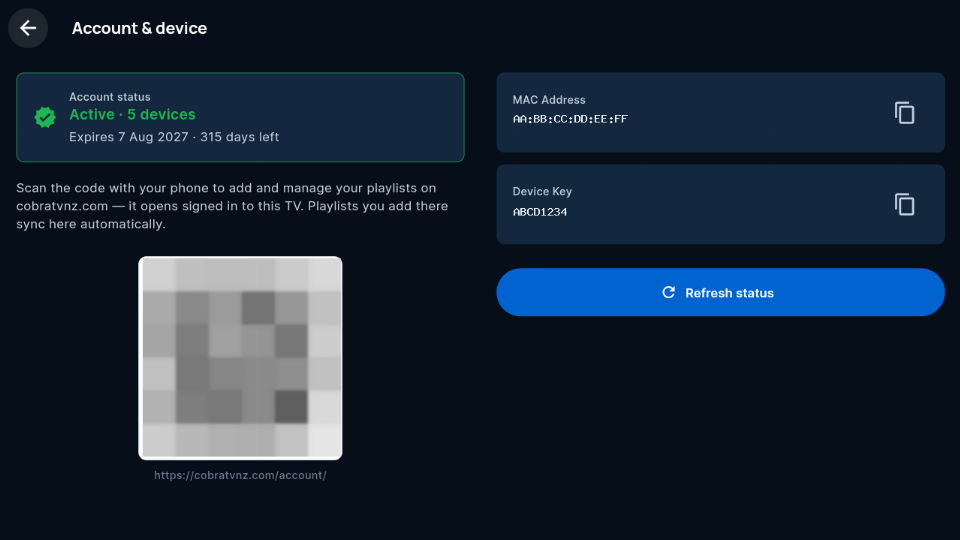
  1. Sign in on your phoneOn your TV go to Settings → Account → Account & device and scan the QR code with your phone's camera. The account page opens already signed in. No camera? Go to cobratvnz.com/account and type the MAC Address and Device Key shown on that screen.
    The TV's Account and device screen (the QR code is blurred in this picture)
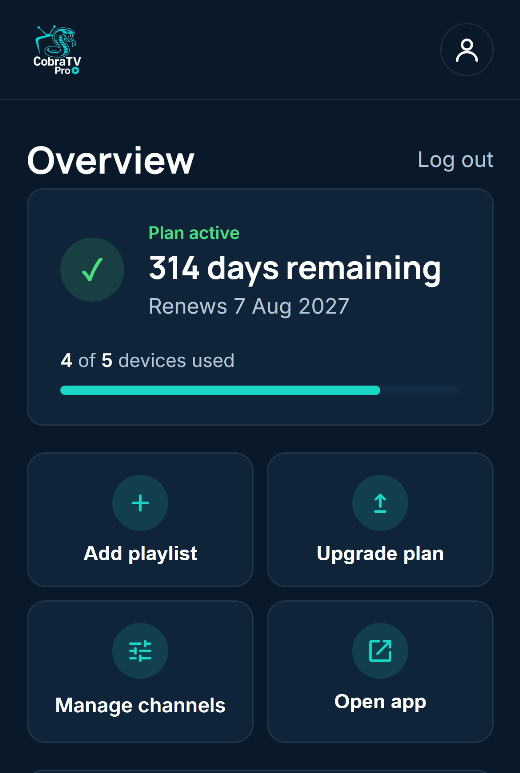
  2. Open Manage channelsOn the Overview, tap Manage channels, then choose the playlist you want to change.
    Account overview with the Manage channels tile
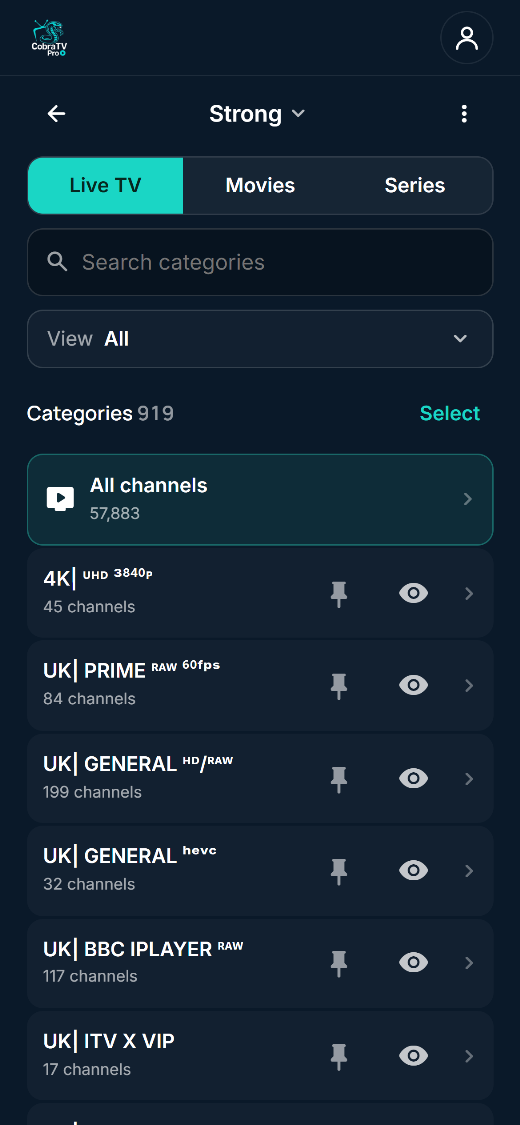
  3. Hide or pin categoriesTap the eye next to a category to hide it on your TVs. Tap the pin to keep it at the top of the list.
    Categories with pin and eye buttons
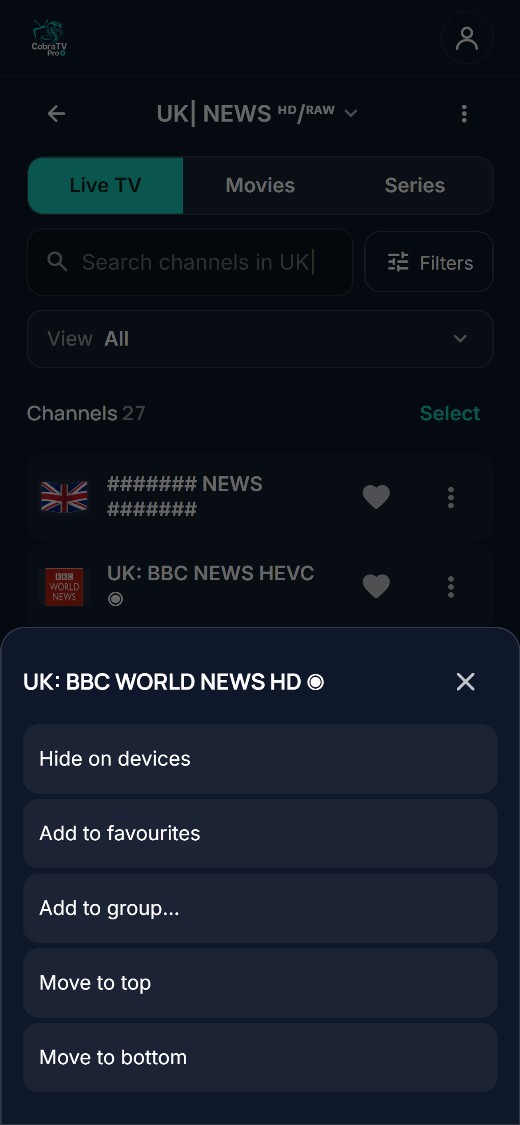
  4. Favourite, group or hide a channelOpen a category. Tap the heart to favourite a channel. Tap ⋮ to hide it, add it to a group, or move it to the top or bottom.
    A channel's menu: Hide on devices, Add to favourites, Add to group, Move to top, Move to bottom
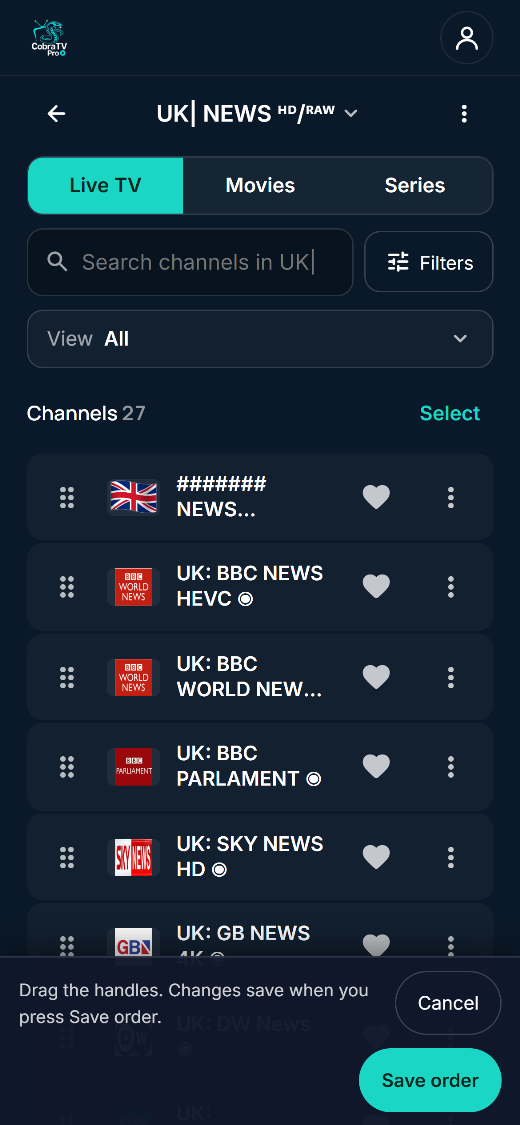
  5. Put channels in your orderTap ⋮ at the top of the list, choose Reorder channels, drag the handles, then tap Save order.
    Reorder mode with drag handles and Save order
  6. Look at your TVYour changes show on every TV on your account within about a minute. If a TV hasn't changed, check it's switched on and up to date: Settings → System & about → Check for updates. Hiding never deletes anything. Show it again and everything comes back as it was.
Support

Ask us anything

Before you write: most questions are answered on the homepage FAQ — what the app includes, which devices work, how the trial and licences run. If yours is not there, this reaches us.

Prefer your own email? Write to support@cobratvnz.com.


Two things worth knowing first

CobraTV Pro does not supply channels. If a channel will not play, or the picture is poor, that comes from the playlist you added rather than from the app — your provider is the one who can fix it. We are still happy to help you work out which it is.

Billing and devices are handled in your account, where you can change your plan, add or remove devices and cancel renewal yourself.


Happy with CobraTV?

A quick review on Trustpilot helps other people find us. It takes about a minute.

Review us on Trustpilot